CNET TV: Best Tech News, Reviews, Videos & Deals3.2.2
Publisher Description
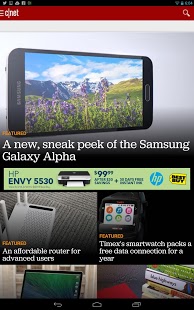
CNET is the No. 1 source for tech news and reviews and puts the biggest stories of the day and expert advice on the products you need to own, right in the palm of your hand.
Download CNET today to keep up with the No. 1 source for news you care about!
_______________
CNET is a collection of self-described tech-savvy and tech-obsessed people, not dissimilar to yourself. Alongside the world’s largest volume of high-quality unbiased product reviews, CNET is the go-to source for news and recommendations about the latest tech and consumer electronics.
Website: https://www.cnet.com/
Facebook: https://www.facebook.com/cnet/
YouTube: https://www.youtube.com/user/cnettv
Twitter: https://twitter.com/cnet
Linkedin: https://www.linkedin.com/company/cnet/
Questions, comments, smart remarks or feedback: cnetappfeedback@cbsinteractive.com
About CNET TV: Best Tech News, Reviews, Videos & Deals
The company that develops CNET TV: Best Tech News, Reviews, Videos & Deals is CBS Interactive, Inc.. The latest version released by its developer is 3.2.2. This app was rated by 7 users of our site and has an average rating of 3.7.
To install CNET TV: Best Tech News, Reviews, Videos & Deals on your Android device, just click the green Continue To App button above to start the installation process. The app is listed on our website since 2018-05-25 and was downloaded 263 times. We have already checked if the download link is safe, however for your own protection we recommend that you scan the downloaded app with your antivirus. Your antivirus may detect the CNET TV: Best Tech News, Reviews, Videos & Deals as malware as malware if the download link to com.treemolabs.apps.cnet is broken.
How to install CNET TV: Best Tech News, Reviews, Videos & Deals on your Android device:
- Click on the Continue To App button on our website. This will redirect you to Google Play.
- Once the CNET TV: Best Tech News, Reviews, Videos & Deals is shown in the Google Play listing of your Android device, you can start its download and installation. Tap on the Install button located below the search bar and to the right of the app icon.
- A pop-up window with the permissions required by CNET TV: Best Tech News, Reviews, Videos & Deals will be shown. Click on Accept to continue the process.
- CNET TV: Best Tech News, Reviews, Videos & Deals will be downloaded onto your device, displaying a progress. Once the download completes, the installation will start and you'll get a notification after the installation is finished.
Program Details
System requirements
Download information
Pricing
Version History
version 3.2.2-TV
posted on 2018-05-25
We fixed the sound on the videos, you can now enjoy CNET without issues.
version 3.2.0-TV
posted on 2018-01-12
• Redesigned video details screen
• Fixed various app crashes around video play
• Fixed app crash on main screen
version 1.2
posted on 2011-03-22
Several fixes and updates
